Pro Features
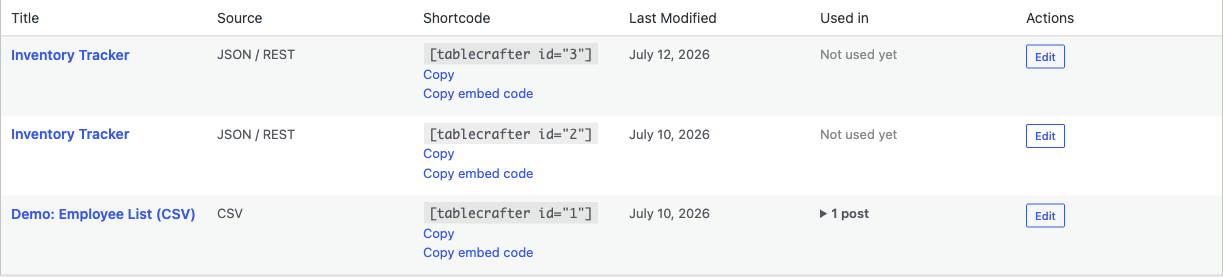
The free TableCrafter plugin is a read-only viewer for JSON, CSV, and Google Sheets data. The Pro upgrade, Advanced Data Tables for Gravity Forms (formerly "Gravity Tables"), is a separate premium plugin that turns Gravity Forms entries into editable, permission-controlled tables on the front end.
Free vs. Pro: what each plugin actually does
It is important to be clear about where the line falls, because the two are distinct products, not a single plugin with a license switch:
- TableCrafter (free, on WordPress.org), the plugin documented across this site. It fetches data from external JSON APIs, public Google Sheets, and remote CSV files, and renders accessible, sortable, searchable, mobile-first tables with the
[tablecrafter]shortcode, a Gutenberg block, and an Elementor widget. It is a viewer: it does not write data back to any source, and it does not store table data in your database. - Advanced Data Tables for Gravity Forms (Pro), a separate premium plugin built for managing Gravity Forms entries. It adds the write-side capabilities that a read-only viewer cannot offer: editing, deleting, approving, and exporting entries directly from a frontend table.
If your data lives in a JSON API, a Google Sheet, or a CSV file, the free TableCrafter plugin is the right tool. The Pro upgrade is specifically for sites that collect data through Gravity Forms and need users to interact with those entries.
Genuine Pro capabilities
The Pro plugin advertises the following capabilities. Each is a real, write-oriented feature that the free TableCrafter viewer does not (and by design cannot) provide:
Frontend editing
Logged-in users can update their own Gravity Forms entries directly from the table on the front end of your site, no wp-admin access required. This is the headline differentiator: the free [tablecrafter] shortcode only displays data, while Pro makes the cells editable in place.
Role-based permissions
Pro lets you control exactly who can view, edit, or delete each entry. Permissions are tied to user roles and capabilities so you can, for example, let contributors edit their own submissions while restricting deletion to administrators.
Bulk actions
Approve, delete, or modify many entries at once instead of one row at a time, useful for moderating submissions or processing large entry lists.
Advanced filtering
Logic-based filters, date ranges, and multi-select dropdowns over your entry data. (The free plugin offers auto-detected column filters; Pro extends this with combinable, logic-driven filtering tailored to Gravity Forms fields.)
Conditional formatting
Highlight rows or cells based on their values, for example, flagging every row where Status = Overdue, so important entries stand out at a glance.
Pro export
Export the current, filtered entry view to Excel, CSV, or PDF, with no caps on the number of tables, columns, or rows.
| Capability | Free TableCrafter | Pro (Gravity Forms) |
|---|---|---|
| View / sort / search data | Yes | Yes |
| Data sources | JSON, CSV, Google Sheets | Gravity Forms entries |
| Frontend editing of records | No (read-only) | Yes |
| Role-based view/edit/delete | No | Yes |
| Bulk approve / delete | No | Yes |
| Conditional row/cell formatting | No | Yes |
| Export filtered view | CSV / XLSX / PDF (viewer data) | Excel / CSV / PDF (entry data) |
A note on export in the free plugin
Export is one area where the free and Pro feature sets overlap in name, so it is worth being precise. The free TableCrafter plugin does include genuine file export. As of version 3.5.6, the export handler (includes/class-tc-export-handler.php) produces real files, not mislabeled HTML:
- CSV, a standard comma-separated file.
- XLSX, a genuine OOXML workbook that opens as a real spreadsheet in Excel, LibreOffice, and Google Sheets.
- PDF, a structurally valid PDF 1.4 document with correct objects and a cross-reference table.
You enable it on any free table with the export attribute:
# Free viewer table with the export toolbar enabled
[tablecrafter source="https://api.example.com/data.json" export="true"]The free export respects the table's current filters and works for read-only source data. Pro export is different in what it exports: it exports your editable, role-filtered Gravity Forms entry views, the records users have created and updated, rather than a snapshot of an external feed.
What Pro is not
To set accurate expectations:
- Buying Pro does not add editing to the free
[tablecrafter]shortcode, block, or Elementor widget. Those remain a read-only viewer. Pro editing applies to Gravity Forms entry tables rendered by the Pro plugin. - Pro is not a license key you paste into TableCrafter. It is a separate plugin you install alongside (or instead of) the free viewer, and it requires Gravity Forms to be present.
- The free plugin's data sources (JSON / CSV / Google Sheets) are unrelated to Pro; Pro operates on entries stored by Gravity Forms.
If you do not use Gravity Forms, the Pro upgrade will not help you. There is no premium tier that unlocks "frontend editing" of an external JSON or Google Sheets source, that is a different problem domain.
Header-based and OAuth authentication
The free TableCrafter plugin is designed for public data sources, or for key-based APIs where the API key is embedded in the URL. It does not provide a UI for header-based tokens or OAuth flows. If you need authenticated, header-based, or OAuth-protected data access, that falls outside the free plugin's scope, reach out about the Pro version or a custom integration.
How to upgrade
Pro is sold through Freemius with a free trial:
- In wp-admin, open the TableCrafter menu and find the "Need More Power?" card on the welcome screen.
- Click Learn More, which opens the Pro checkout at
https://checkout.freemius.com/plugin/20996/plan/35031/. - Start the 7-day free trial. You can cancel any time before the trial ends to avoid being charged, and a reminder email is sent two days before it ends.
- Install the Advanced Data Tables for Gravity Forms plugin you receive, alongside Gravity Forms, to enable frontend editing, role-based permissions, and bulk actions.
Stay on the free plugin first if your data is read-only. Everything in the rest of this documentation, shortcodes, the block, the Elementor widget, caching, and export, is fully available without a Pro license.
Custom development
If you need a capability that neither the free plugin nor the Gravity Forms Pro plugin covers, a bespoke API integration, header/OAuth authentication, or a custom table layout, custom development is available for a fee. Contact info@fahdmurtaza.com to discuss the work.
Next, see export.html for the full free CSV/XLSX/PDF export reference, or shortcode-reference.html for every [tablecrafter] attribute available in the free plugin.