Loading & Empty States
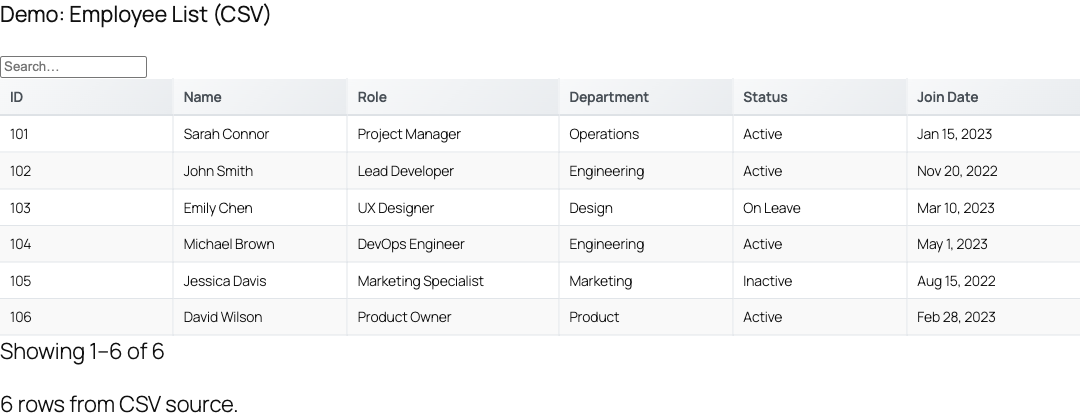
TableCrafter shows a skeleton loader while data fetches, a clear "no results" message when a table or filter returns nothing, and distinct error UIs for site visitors versus administrators. This page documents the real markup, CSS classes, and behavior behind each of those states.
The state lifecycle
Every table rendered by the [tablecrafter] shortcode passes through a predictable set of states. The first paint is server-rendered (SSR) from cached HTML, then the frontend script hydrates and takes over for sorting, filtering, and refreshing. Each phase below has its own markup that you can target with CSS.
| State | When it shows | Wrapper class |
|---|---|---|
| Loading (skeleton) | Async fetch in progress, no SSR content yet | .tc-loading-container |
| SSR fallback | Published with a source but cache is cold | .tc-loading |
| Populated | Rows available | .tc-wrapper |
| Empty / no results | Zero rows after filter or search | .tc-no-results |
| Error (visitor) | Source failed, non-admin viewer | .tc-error-state |
| Error (admin) | Source failed, logged-in admin | .tc-admin-error-helper |
| No source configured | Shortcode/block has empty source | .tc-placeholder / .tc-error |
Loading indicators
When the table needs to fetch data over the network, the JavaScript renderLoading() method replaces the container with an animated skeleton of five placeholder rows. This gives the page a stable height and a sense of progress before real rows arrive.
The generated markup looks like this:
<!-- Injected by renderLoading() -->
<div class="tc-wrapper">
  <div class="tc-loading-container">
    <div class="tc-skeleton-row">
      <div class="tc-skeleton-cell tc-skeleton"></div>
      <!-- ...five cells per row, five rows... -->
    </div>
  </div>
</div>
The shimmer animation is driven entirely by CSS. The .tc-skeleton class applies a moving linear-gradient via the tc-shimmer keyframes, and the stylesheet ships a prefers-color-scheme: dark variant so the placeholders dim correctly on dark themes.
If the page was server-rendered with content already present (the container carries data-ssr="true" and has child nodes), the skeleton is intentionally skipped so visitors never see existing rows flash away and reappear.
The SSR loading fallback
On a cold cache, the PHP renderer cannot produce table HTML synchronously in time, so the container is printed with a lightweight inline fallback before the script boots:
<div class="tc-loading">Loading TableCrafter...</div>The .tc-loading class also sets pointer-events: none and reduced opacity, and when combined with aria-busy="true" it renders a centered "Loading data..." overlay via a CSS ::before pseudo-element for assistive technology and sighted users alike.
Empty-table messaging
"Empty" means two different things in TableCrafter, and they are handled in two different places.
No rows after filtering or search
When the dataset loaded fine but the current search term, filter, or page yields zero matches, the client renderer inserts a single full-width message instead of an empty body. In table view this is a <td> spanning every column; in card view it is a standalone <div>. Both use the same class:
<td class="tc-no-results" colspan="N">No results found</td>The default copy is "No results found", sourced from the localized noResults string so it can be translated. The .tc-no-results class centers the text, adds padding, and renders it in muted italic gray.
Source returned no data at all
If the source responds but contains no usable rows, the PHP layer never reaches a table render and instead returns a structured error (see below). The relevant server-side conditions return messages such as "Empty Source: The data received is empty." and "Empty Dataset: No rows found at this path."
Error states
Errors are deliberately split by audience so visitors see a calm, branded message while administrators get actionable diagnostics.
Visitor-facing error
For non-admin viewers, a failed fetch produces a neutral, self-contained block:
<div class="tc-error-state">Unable to load data. Please check back later.</div>The copy comes from the translatable string "Unable to load data. Please check back later."
The visitor message is a fixed translatable string. There is no shortcode attribute to override it inline; customize it through a translation (.po/.mo) of the tablecrafter-wp-data-tables text domain, or restyle the .tc-error-state block with your own CSS.
Administrator setup guide
When the current user has manage_options, the same failure renders a richer diagnostic card via render_admin_error_helper(). It shows the raw error inside a <code> tag, a dashicon warning, and a troubleshooting checklist (verify the source URL returns JSON, confirm the JSON root path, confirm the source is a list of objects). A footer note reminds you it is admin-only and invisible to the public.
| Internal error message | Cause |
|---|---|
| Empty Source | The fetched response contained no data |
| Path Error | A segment of the root path was not found in the structure |
| Structure Error | The target data is not a list/array |
| Empty Dataset | No rows found at the resolved path |
| Rendering Error | Data is a flat list, not a table of objects |
Client-side error with retry
If the table loads on the page but a later fetch or hydration fails, the script's renderError() method paints an inline error with a working Retry button:
<div class="tc-error-container">
  <div class="tc-error-message">Unable to load data. ...</div>
  <button class="tc-retry-button">Retry</button>
</div>
Clicking "Retry" re-shows the skeleton and calls loadData() again. If the retry also fails, the message updates to "Retry failed. Please try again later." The .tc-error-container and .tc-error-message classes give the block a red border and bold heading.
No source configured
If a block or shortcode is saved with an empty source, TableCrafter renders a placeholder rather than a broken table. The output is context-aware:
- In the block editor / REST preview: a dashed
.tc-placeholdercard with a table icon, the heading "Configure Your Data Source", and the hint "Add a JSON URL, CSV file, or Google Sheet to create your table." - On the published front end: a compact amber
.tc-errornotice reading "TableCrafter: Please configure a data source to display your table."
Auto-refresh failure handling
When auto_refresh="true" is set, background refreshes have their own resilience built in. A failed refresh does not wipe the visible table; instead performRefresh() increments an attempt counter and retries with exponential backoff (2, 4, 8 seconds). After maxRetries (default 3) consecutive failures, auto-refresh stops itself so a dead source cannot hammer the server. The live .tc-refresh-indicator widget continues to reflect paused/active status and the last-updated time.
<!-- Resilient auto-refresh; keeps showing current rows on transient errors -->
[tablecrafter source="https://example.com/api/stock.json"
  auto_refresh="true"
  refresh_interval="60000"
  refresh_indicator="true"]
Export progress and notifications
Exports (XLSX and PDF, produced by the export handler) surface their own transient states so a multi-second download never looks frozen. While the file generates, a fixed-position .tc-export-loading overlay shows an animated progress bar labelled "Generating XLSX/PDF export...". On completion or failure a toast is shown through showNotification():
| Class | Trigger |
|---|---|
.tc-notification.tc-notification-success | Export finished (green, auto-dismiss 3s) |
.tc-notification.tc-notification-error | Export failed or network error (red, dismiss 6s) |
.tc-export-loading | Export request in flight |
Accessibility of state changes
State transitions are announced to screen readers, not just shown visually. On init the table creates an off-screen ARIA live region (.tc-sr-only with aria-live and aria-atomic="true") and uses announce() / announceDataChange() to read out changes such as sorting and filtering. The loading overlay pairs the visual treatment with aria-busy="true" and a CSS-rendered "Loading data..." label, and the localized strings loading, noResults, noData, and error keep all state copy translatable.
To restyle any state without touching JavaScript, override the documented classes (.tc-skeleton, .tc-no-results, .tc-error-container, .tc-error-state, .tc-placeholder) in your theme stylesheet. They are stable, namespaced, and used by both the SSR and client renderers.
Listening for state events
The table dispatches namespaced CustomEvents on its container (for example tablecrafter:cardTap, tablecrafter:cardView, tablecrafter:cardEdit) using the tablecrafter: prefix. You can attach listeners to the container element to react to user interaction in your own scripts.
const el = document.getElementById('my-table');
el.addEventListener('tablecrafter:cardView', function (e) {
  console.log('Row viewed:', e.detail.rowData);
});
Next steps: see data-sources.html to understand why a source returns empty or errors, and auto-refresh.html to tune the refresh interval, retry, and live indicator behavior described above.